Prologue
37c3
37c3 (December 2023) is the first chaos communication congress I went to. I did enjoy all the exposure to the technology, but what caught my attention was the LED badge that was being given out at the FOSSASIA desk.
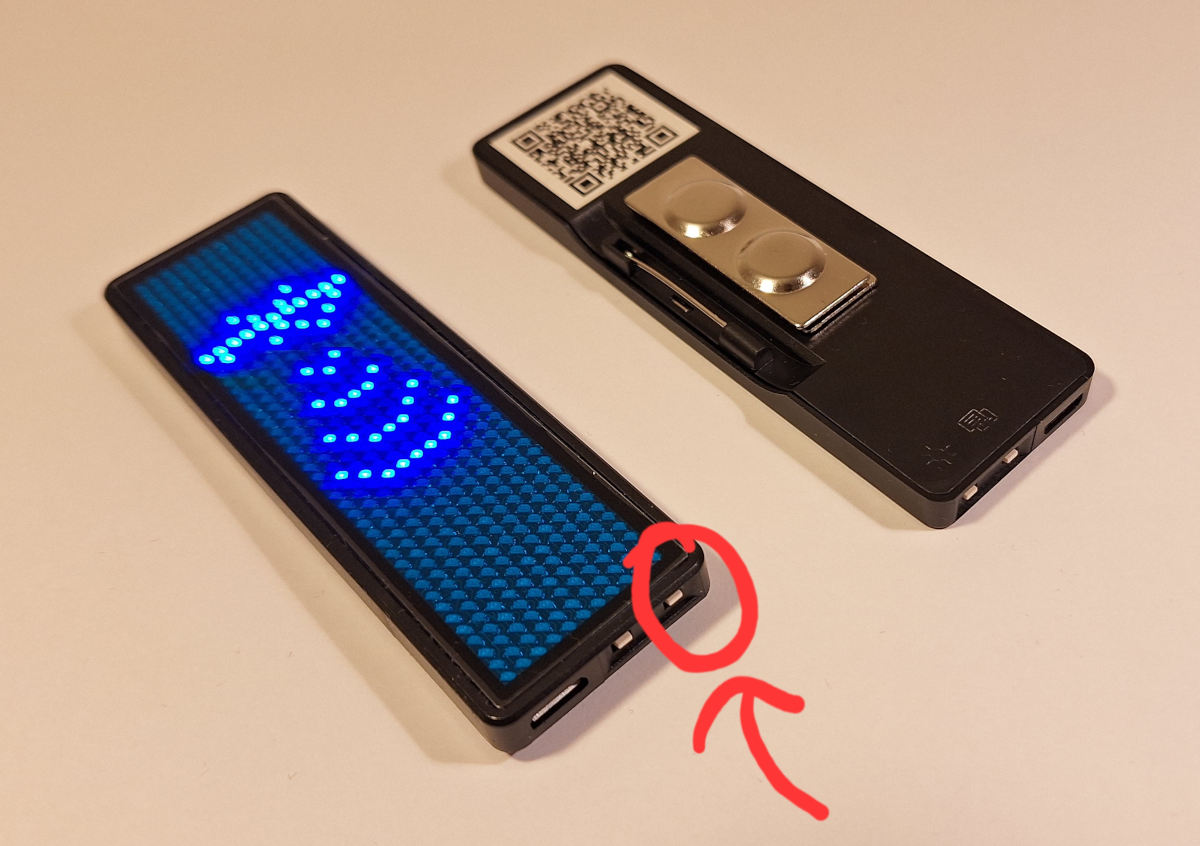
The badge operates via an Android app called Badge Magic and it can send over text and related configuration. I also set up a Python application called led-name-badge-ls32 which gives more granular control over what is displayed and how it is displayed. It also takes in 1-bit PNG files which can be sent to the badge for display.

This made things a lot easier when it came to putting text art or pixel art into the LED badge. Although there is a bit of difficulty in making sure the art sits and fits correctly into an 11 px height PNG.

38c3
During 38c3 (December 2024), in one of the areas there was a wall onto which fluorescent tape was used to create art, and anyone was free to go over and create art.
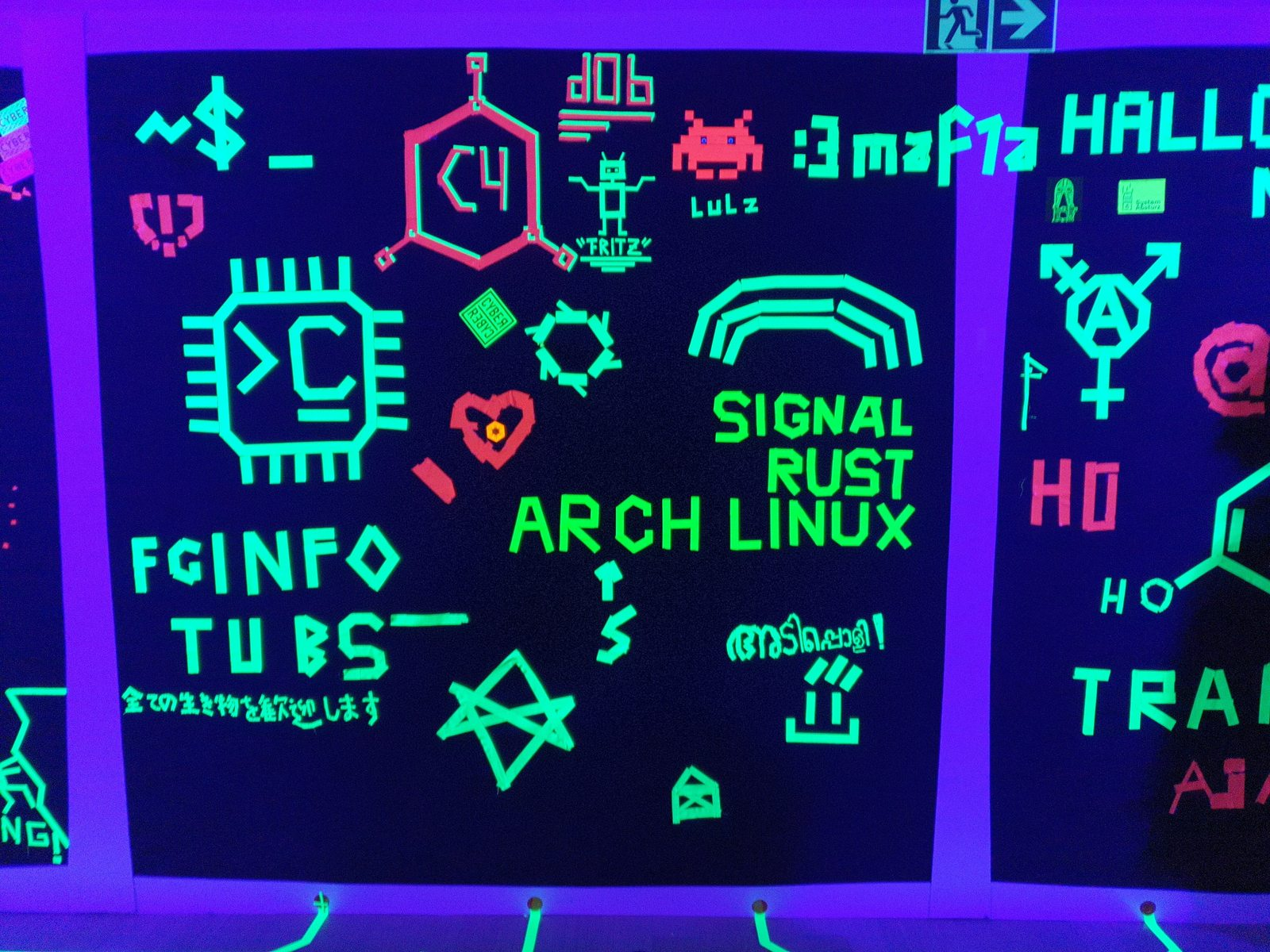
With enough Malayalam speakers around, one of us ended up taping “അടിപ്പോളി” (which roughly translates to fantastic).
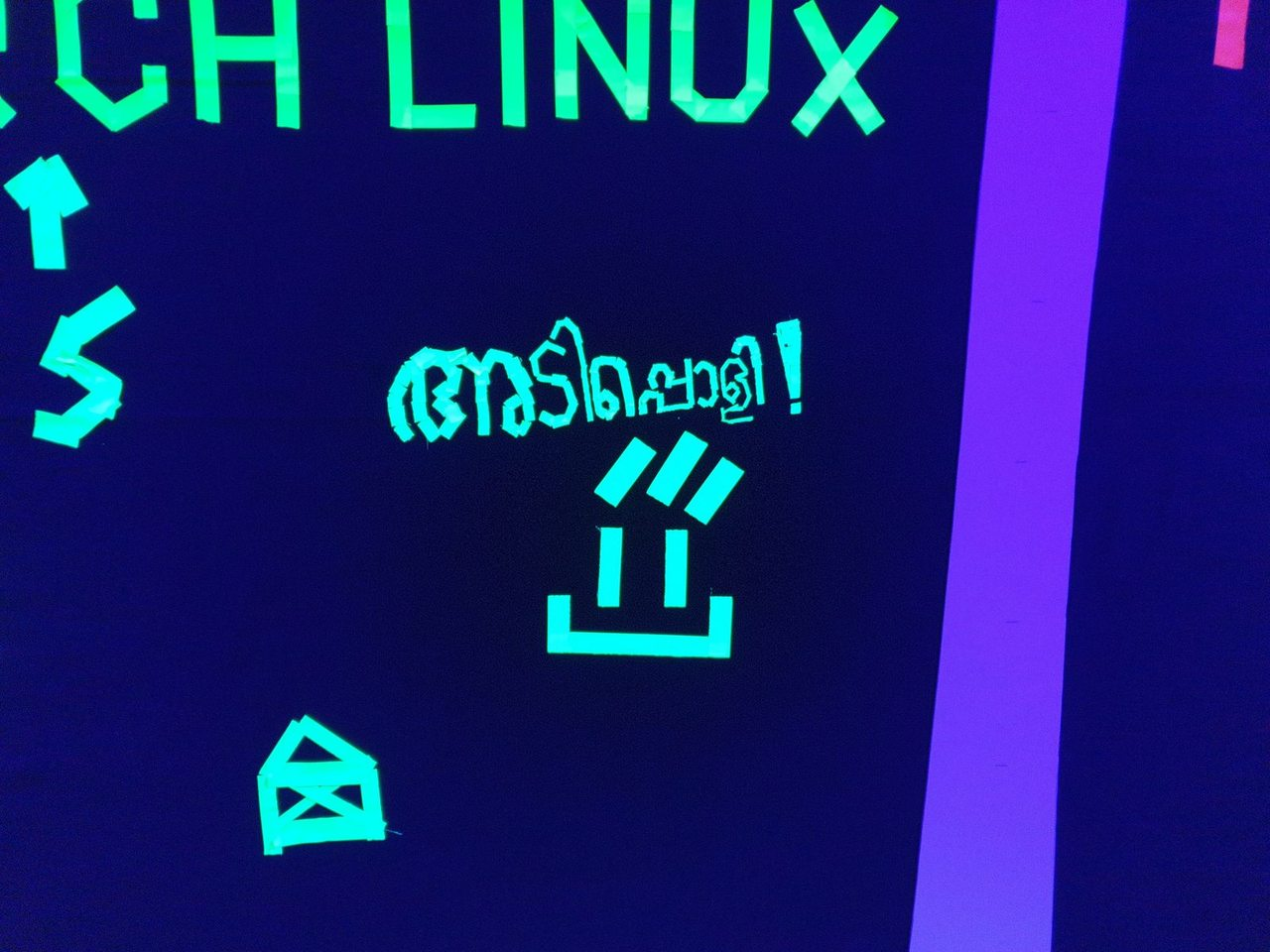
This made me think: how about we display Malayalam on our badges?
Ignorance is bliss
The original LED badge Python program can handle some trivial text, but it was not designed for handling Unicode Malayalam.
After a bit of searching, I came across an example Go application for a FreeType font rasterizer, that takes in a piece of text and a given font and renders a PNG.
So basically all I had to do is
- Build the program
- Get a font
- Pass in some text
- Set height to 11px
And I should be good to feed it into the LED badge.
After some initial tweaking of the example code and juggling around some fonts, I got it to display some English text.
When I used something like Source Code Pro, I ended up with blurry edges which do not translate well to an 11 px height LED display.

I searched for monospaced fonts since I was aware they are meant to be used in low-resolution situations like an LED matrix. I came across Terminal Vector, which is basically the font used by Windows Console Terminal. And to my surprise it turned out quite nicely, even on the LED display.

My choice of technique and monospace fonts here is going to affect a whole series of back-and-forth when I switch to non-Latin glyphs.
I also came across k8x12, which was producing legible LED display output.
Attempt to display Malayalam
With all the newfound techniques, I thought I had it solved for Malayalam. Convert a given word to a PNG via this example Go program and we’re good.
When I spoke to Ashik, he suggested I try Manjari first. So without much thought, I downloaded the font and ran it through the Go program.

The edges were not sharp, unlike what I had experienced with Terminal Vector, which meant that sending this to the LED badge just rendered junk.
After a few attempts that were leading nowhere, I asked Ashik if there were fonts similar to Terminal Vector or k8x12 for Malayalam. He suggested trying out Nupuram Dots as another example.

This is when the realization slowly started creeping in — that I was missing a lot of context on font rendering, and more importantly, shaping. But in my ignorance, I looked around for “blocky” Malayalam fonts and came across Ishtika.

Thinking that this would work like Terminal Vector at this point was plain stupid, but at least I should attempt to give it a try.

And it was the worst of all three, where the text itself was only partially visible, and again it was blurry with no sharp edges.
After a lot of back-and-forth with Ashik, my attempts to get Malayalam fonts to work with the LED badge had begun to diminish, especially due to my lack of understanding of how fonts worked.
Epilogue
I spent a considerable amount of time at 38c3 trying to display Malayalam on an LED badge. Ashik’s suggestion was that we may have to hand-redraw many of these glyphs to make them pixel-accurate. This was definitely way out of my league.
I even spent a bit of time with FontForge, and felt overwhelmed by the UI and the things you need to learn in order to design a single glyph within a font. Malayalam having more than 59 glyphs, I did not want to end up hand-tracing each of them either.
Here is a list of things I learned from this interaction
- Indic fonts are hard, especially because they do not only vary in width but also in height, where parts of a glyph can go below and above the bottom and top baselines respectively.
- Bitmap (pixel / raster) fonts are very different from Outline (vector / scalable) fonts.
- Bézier curves define the outlines of glyphs, while HarfBuzz is the shaping engine that decides which glyphs to draw and where to place them.
- FreeType is a font rendering engine.
All that being said, we are still a long way from actually getting Malayalam fonts to display on an LED badge.